A Budgeting App Without Bank Account Linking
Most budgeting apps ask you to connect your bank through a third-party aggregator before you can do anything. MoneyFlow doesn't - you log your numbers yourself, and your data stays on your device.


Why use a budgeting app without bank linking?
Privacy
You don't give a budgeting app access to your bank account. No credentials shared, no aggregator holding a copy of your transactions.
Reliability
No broken bank connections, duplicate transactions, or sync failures to troubleshoot. What you entered is what's there.
Awareness
You record spending as it happens instead of reviewing an imported list later, which keeps the number in front of you closer to real time.
The honest tradeoff: manual budgeting takes more input than automatic bank synchronization. You're typing a few transactions instead of letting an import run in the background. For a lot of people that's a fair trade for not handing a bank login to a third party - but it's still work, and it's worth going in with that expectation instead of a promise that manual entry is effortless.
How MoneyFlow works without connecting your bank
There's no bank credential shared, no bank sync, and no aggregator in the middle. You log income, spending, bills, debts, subscriptions, and goals yourself, tagged to a category - and MoneyFlow does the math from there: Safe-to-Spend, net worth, and your debt payoff date, all calculated in real time from what you entered.
It's offline-first by design. The app works with no internet connection at all. Signing in only enables optional cloud backup and sync - it's never required to use MoneyFlow.
The tradeoff most budgeting apps don't explain
Bank-linked apps connect through a data aggregator - companies like Plaid, Finicity, or MX - which handles the connection to your bank and hands the app your transaction data. The connection is typically encrypted and read-only, which is a reasonable security design. But it doesn't make the tradeoff disappear.
Every account you link adds another party that holds a copy of your financial data: your bank, the aggregator, and the budgeting app itself. Each is a separate system with its own security practices and its own risk of being breached. Skipping the connection removes that exposure entirely, at the cost of a bit more typing.
You don't lose any features by skipping it
Manual entry isn't a stripped-down mode in MoneyFlow - every core feature runs on it:
- Safe-to-Spend, updated the moment you log something
- Net worth tracking across your investments and debts
- Debt payoff date calculated from your balance and rate
- Bill and subscription reminders before they're due
Not just an expense tracker
Plenty of manual-entry apps stop at logging what you spent. MoneyFlow goes further: debts, subscriptions, investments, and net worth are tracked in the same place as your spending, all folding into one Safe-to-Spend number, not four separate totals you have to add up yourself.
It's also available on both iPhone and Android, so switching phones later doesn't mean switching budgeting apps.
How MoneyFlow works without bank linking
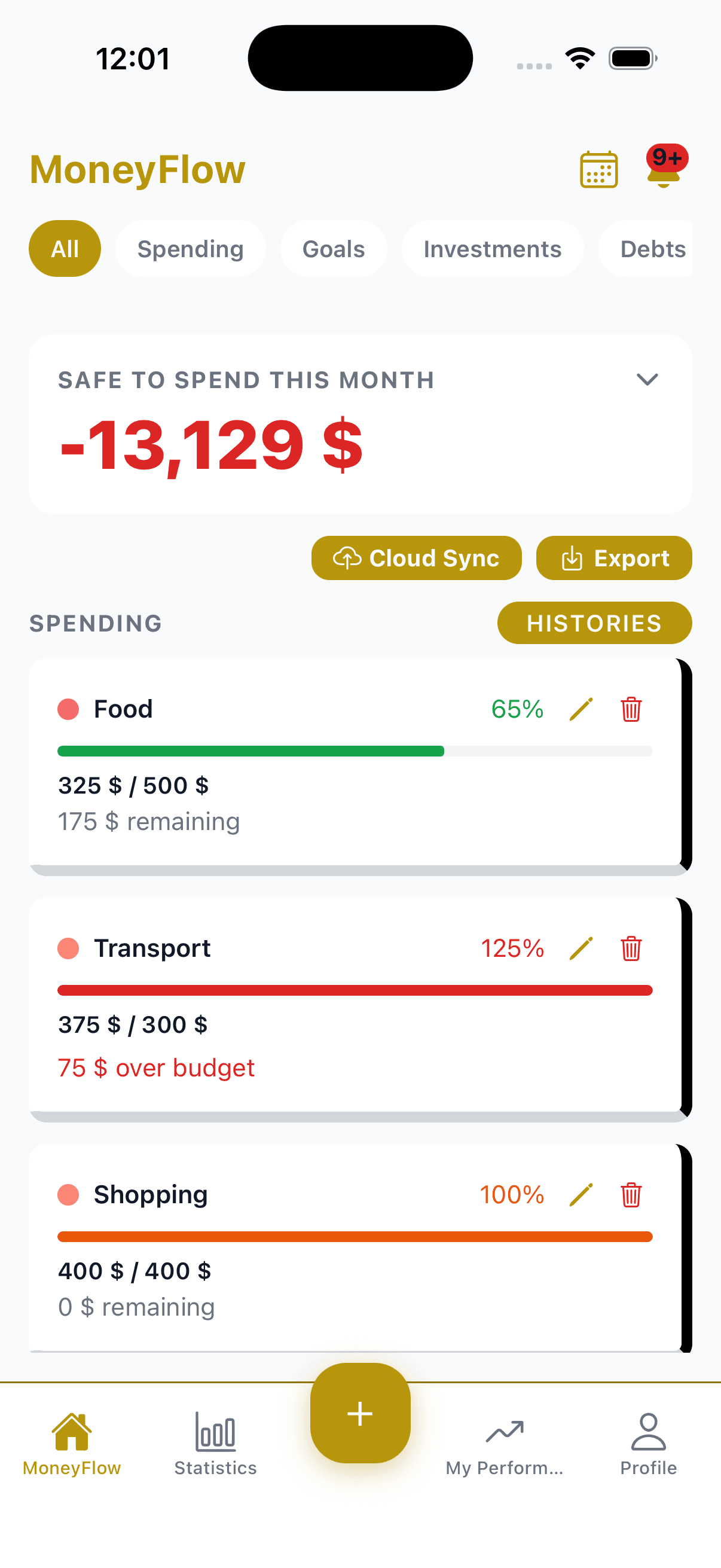
See your Safe-to-Spend amount and current financial position.
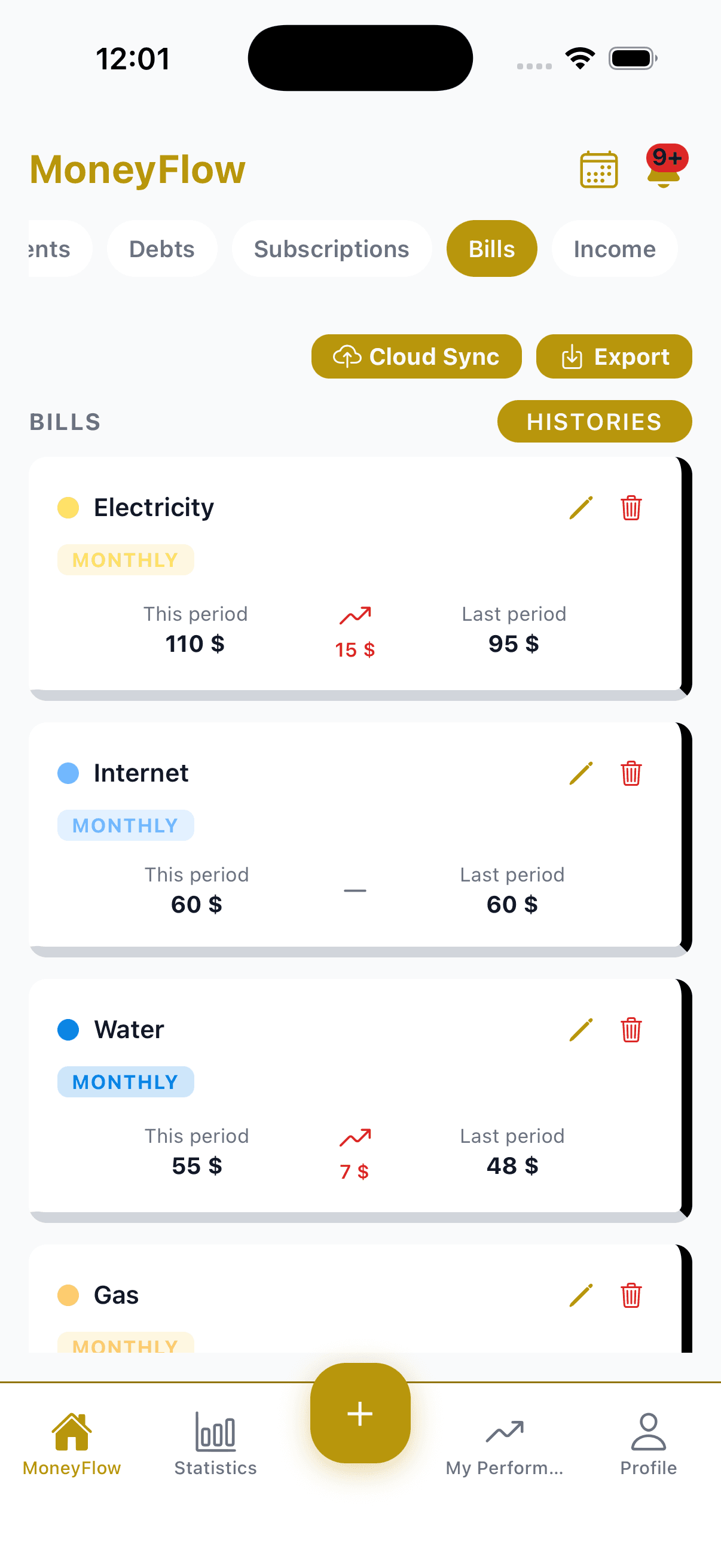
Track upcoming bills without importing transactions.
Who this is for
If you'd rather not add another party to the list of companies holding a copy of your financial data, manual entry isn't a downgrade from bank-linked apps - it's the actual solution to that problem, not a workaround for it. If you value automation more than minimizing where your data lives, a bank-linked app is a legitimate choice too; see how MoneyFlow compares to apps that require it.
Related reading: manual budgeting app, offline budgeting app, budgeting without a bank login, budgeting without a bank connection, and budgeting app privacy.
Frequently asked questions
Why would I want a budgeting app without bank linking?+
Linking your bank adds a third party - an aggregator like Plaid, Finicity, or MX - that holds a copy of your financial data on top of your bank and the app itself. Manual entry removes that extra party entirely. It costs a bit more typing, not any missing functionality.
Do I lose any features by not linking my bank account?+
No. Safe-to-Spend, net worth, and debt payoff date are all calculated the same way whether the numbers came from an automatic import or you typed them in. MoneyFlow was built manual-entry-first, not as a fallback mode.
How long does manual entry actually take?+
Logging a bill, a purchase, or a debt payment takes a few taps. Most people are fully set up - income, bills, debts, subscriptions, and goals - in under 2 minutes.
Is my data ever sent anywhere?+
No, by default. MoneyFlow is offline-first and your data stays on your device unless you specifically opt into cloud sync, which is a Pro feature you choose - not a requirement to use the app.
Does MoneyFlow sync with my bank account?+
No, never, on any plan. There's no bank connection to sync in the first place. The only sync feature MoneyFlow has is optional cross-device backup of the data you type in yourself, and that's off by default.
Read the full breakdown of whether it's safe to link your bank account to a budgeting app, or see the full how to budget guide.
Start tracking without connecting your bank
Free, offline, and ready in under 2 minutes.